Helps you find deductions, automatically!

Stop losing tax deductions to a messy bank statement.

UncleLess connects to your accounts and automatically sorts business from personal spending — you only get asked about the handful of transactions it can't confidently call on its own. Hand your CPA a clean, ready-to-file ledger with one tap.

Open UncleLess See how it works
The UncleLess mascot, giving a thumbs up

Every year, solopreneurs and micro-business owners lose real money to "tax leakage" — not fraud, just memory. A gas receipt tossed before it's logged. A client dinner that never made it into a spreadsheet. UncleLess exists to close that gap the moment it opens.

How it works — for Business Owners

No manual bookkeeping. No spreadsheets. No shoebox of receipts.

1

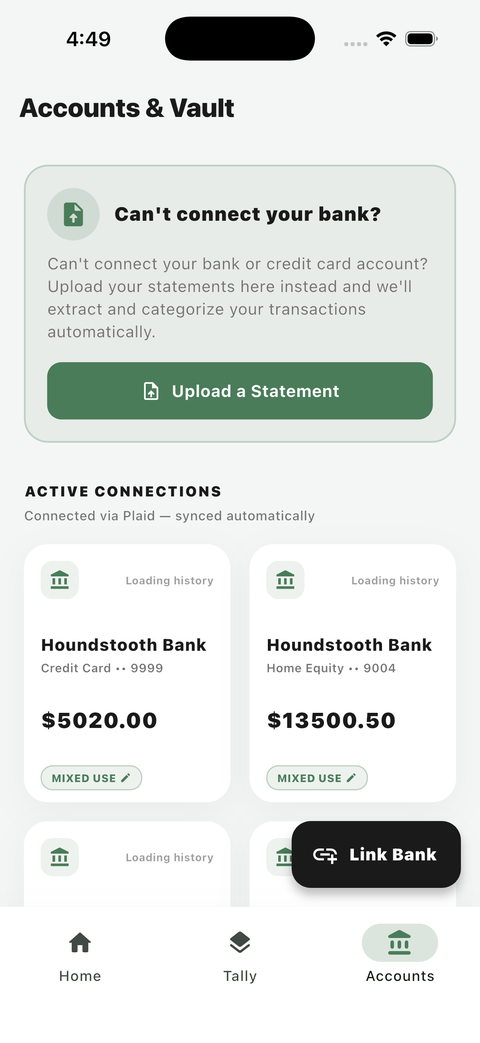
Link your accounts

Connect your business (and personal, if mixed) bank and card accounts. UncleLess pulls your transaction history automatically.

UncleLess Accounts & Vault screen showing linked bank accounts
2

Automatic categorization

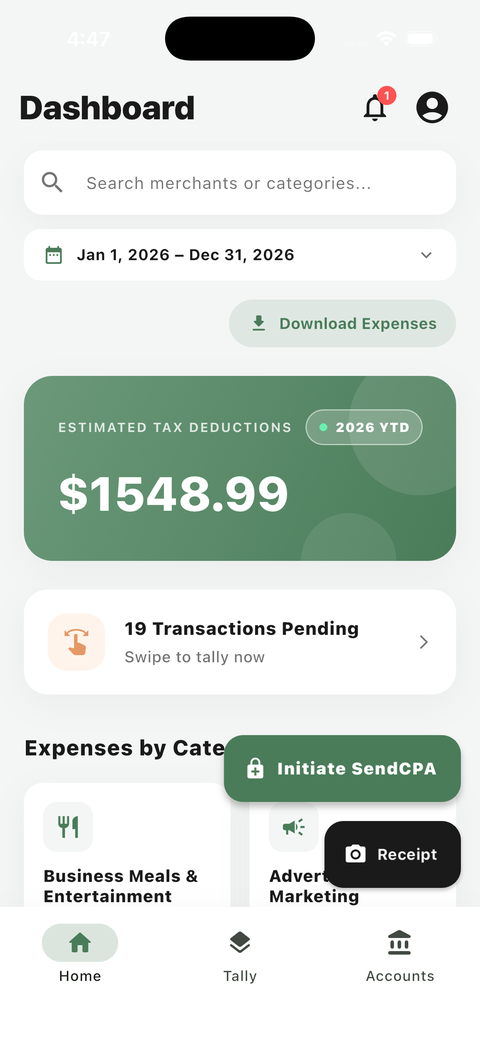
Most transactions are categorized the moment they arrive — this is the core of how UncleLess works, not manual data entry.

UncleLess dashboard showing total business expenses and expenses by category
3

Swipe the rest

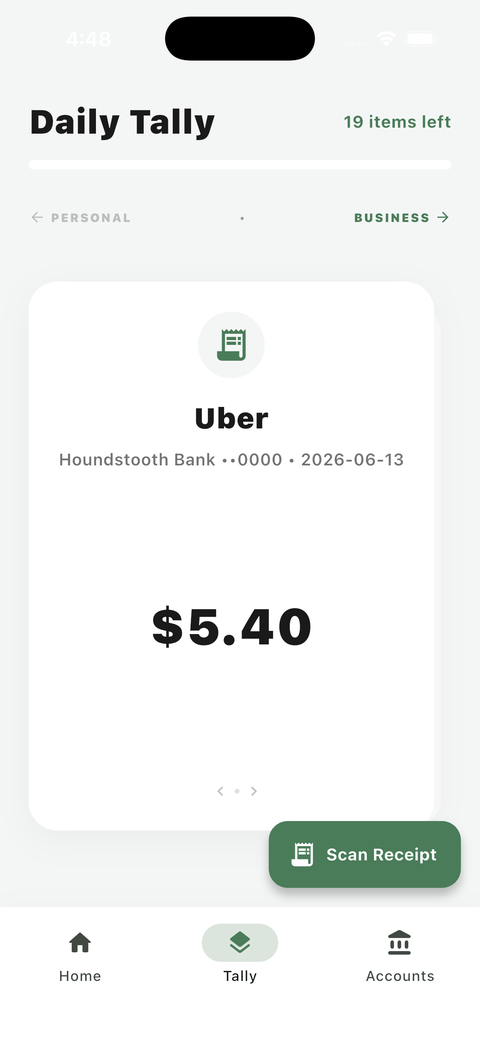
A small number of transactions UncleLess isn't confident about land in your Daily Tally. Swipe each one business or personal in seconds.

UncleLess Daily Tally screen for swiping a transaction as business or personal
4

Your dashboard, always up to date

See your total business expenses, category breakdown, and full transaction history any time — never limited by your plan.

UncleLess dashboard showing year-to-date total business expenses
5

Hand off to your CPA

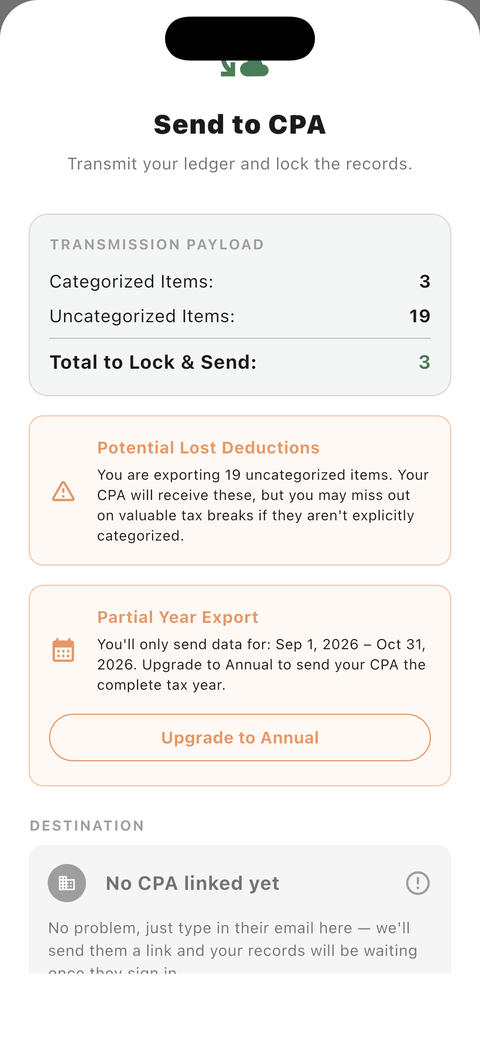
Invite your CPA into UncleLess directly (free for them), or export a CSV — either way, already organized.

UncleLess Send to CPA screen for transmitting your ledger

For CPA's — get client statements ready in minutes, not hours

Basic access — your client roster, ledger view, and free CSV export — is always free. Schedule C export and statement scanning are available on a CPA subscription.

1

Get invited, for free

A client invites you into UncleLess — there's no cost to you to accept and view their books.

2

Your client roster

See every client linked to your firm in one place, with an at-a-glance status of who needs review.

3

The client workspace

Open any client to see their categorized ledger, grouped by category, with running totals.

4

A real privacy boundary

You only ever see transactions your client explicitly tagged as business — personal transactions are structurally unreachable, not just hidden.

5

Sync or export

Pull a client's ledger directly into your own workflow, or receive it as a CSV — either way, already locked and organized.

Simple, transparent pricing

Business Owners get a free trial through the end of their signup month. CPAs never pay to accept a client invite or view/download a client's books — a subscription is only needed for Schedule C export and batch statement-scanning.

Monthly Annual

For Business Owners

Basic
$19.99/mo $239.88/yr
  • Up to 10 linked institutions
  • Automatic categorization on every transaction
  • Daily Tally for the handful it's not sure about
  • Full dashboard & transaction history
  • Invite your CPA for free
Start with Basic

For CPAs & Bookkeepers

Accepting a client invite, viewing their ledger, and downloading a CSV are always free. A subscription unlocks Schedule C export and batch statement-scanning.

Basic
$79.99/mo $599.88/yr
  • Up to 10 clients
  • 10 statement scans / month
  • Schedule C export
  • Batch statement scanning
Start with Basic

Need more scans? Statement bundles (one-time top-ups)

20scans$20
30scans$28.50
40scans$36
50scans$42.50
100scans$75

Pricing questions

The essentials — reach out any time for anything else.

Is there a free trial?

Yes. Business Owners get a free trial through the end of their signup month — your first bill is the 1st of the following month, no matter which day you signed up. CPAs never pay to accept a client invite or view/download a client's books in the first place.

Can I switch tiers?

Yes — upgrade or downgrade between Basic and Pro at any time from your account settings.

What happens if I hit my institution or statement-scan limit?

Business Owners on Basic can upgrade to Pro for unlimited linked institutions. CPAs who use up their monthly statement scans can buy a one-time statement bundle top-up, wait for next month's reset, or upgrade to Pro for a higher monthly allowance.

Do CPAs pay to view or download a client's books?

No. Accepting a client invite, viewing their categorized ledger, and downloading a CSV are always free. A CPA subscription is only required for Schedule C export and batch statement-scanning.

What are statement bundles?

One-time top-ups for CPAs who need extra scans beyond their monthly plan allowance — available in 20/30/40/50/100-scan packs.

Get UncleLess

Use it right in your browser today — no install required.